AppleCare+ Cell Phone Insurance
If you’re someone who cares about keeping your iPhone safe and wants to avoid unpleasant surprises, like a cracked screen or losing the device, AppleCare+ Cell Phone Insurance could be an excellent option.
In this article, I’ll guide you step by step through how AppleCare+ works, from coverage to the replacement process, all in a simple and humanized way. Let’s dive in!
Coverage of AppleCare+ for Accidental Damage
Accidents happen, right? Whether it’s an unexpected drop or a liquid spill, AppleCare+ is there to help. One of the biggest advantages of AppleCare+ is the coverage for accidental damage, which includes common situations like:
- Screen damage: Dropping your iPhone is one of the most frequent occurrences, and AppleCare+ offers coverage for repairs with a much more affordable deductible than the regular cost.
- Liquid damage: Spilling coffee or water on your phone doesn’t have to mean the end of the device. With AppleCare+, you’re covered for such incidents.
- Other accidental damage: Beyond screen and liquid damage, any other accidental harm, like parts broken due to falls, is covered.
The main advantage here is that AppleCare+ provides coverage for up to two accidental damage incidents during the coverage period.
To claim this benefit, you only need to pay a reduced deductible (which we’ll discuss next), and Apple takes care of the rest.
Cost of AppleCare+ and Deductibles
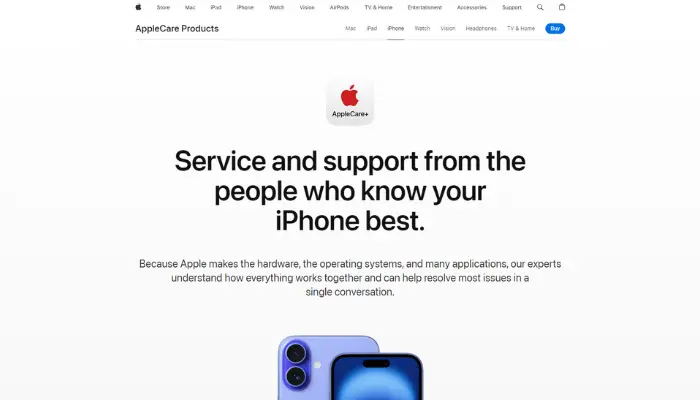
Now, you might be wondering: how much does this cost? Let’s explore the two main costs involved with AppleCare+ Cell Phone Insurance: the plan price and the applicable deductibles.
- Initial plan cost: AppleCare+ can be purchased either as a one-time payment or monthly, depending on your preference. The cost varies depending on your iPhone model, but it’s an investment that can save you a lot of money in the long run.Example of prices:
- iPhone 13 Pro: Around $199 for two years of coverage.
- iPhone SE: Around $79 for two years.
- Repair deductibles: When you claim coverage for any damage, a small deductible is applied. Typical amounts include:
- Screen damage: $29 per incident.
- Other damage: $99 per incident.
These amounts are significantly lower compared to the full repair cost without AppleCare+. For example, a screen repair can cost between $200 and $300 without AppleCare+.
iPhone Replacement Process with AppleCare+
Losing your iPhone or having it damaged beyond repair can be extremely frustrating. The good news is that with AppleCare+, the replacement process is simple and efficient. Here’s a step-by-step guide to how it works:
- Report the incident: First, contact Apple Support by phone, chat, or directly through Apple’s online store. Report the problem and choose the replacement option.
- Receive shipping instructions: If you need to send your iPhone to Apple, they will provide the appropriate packaging. Simply place the phone in the box and send it as instructed.
- Wait for replacement: After receiving your damaged device, Apple quickly sends a new iPhone to you, usually within a few days.
This process is very convenient, and the peace of mind that comes with knowing your iPhone will be replaced without hassle makes investing in AppleCare+ worthwhile.
AppleCare+ International Coverage
If you travel frequently, one of the questions you might have is whether AppleCare+ will protect you outside your home country. The answer is yes, but with a few conditions.
- Global coverage for accidental damage: If you’re in another country and your iPhone suffers accidental damage, AppleCare+ covers you as long as there’s an authorized Apple repair center in that location.
- Limited support in countries without Apple service: In some countries, particularly where there’s no official Apple support, you might have difficulties using AppleCare+.
If you travel a lot, it’s a good idea to check in advance if your destination has authorized Apple repair centers.
Duration and Renewal of AppleCare+
You have two main options when purchasing AppleCare+ Cell Phone Insurance: two years of coverage or a monthly subscription, which can be continued until you decide to cancel.
- Two-year coverage: This is the standard option for most users. After the two-year period ends, there’s no automatic renewal. You would need to purchase a new plan if you wish to continue being protected.
- Monthly subscription: For those who prefer more flexibility, Apple offers monthly coverage. This allows you to maintain AppleCare+ for as long as you like, even after the initial two years.
AppleCare+ Theft and Loss
AppleCare+ Theft and Loss is a valuable optional add-on, especially if you’re concerned about the possibility of losing your iPhone or having it stolen.
This extra layer of protection offers peace of mind by covering more than just accidental damage.
Here’s what the coverage entails:
Device Replacement for Loss or Theft
If your iPhone is lost or stolen, Apple will provide you with a replacement device. It’s crucial, however, that the Find My iPhone feature was activated on your device at the time of the incident, as this is a requirement for making a claim under this protection.
Affordable Deductible
Similar to claims for accidental damage, a deductible is applied for replacements due to loss or theft.
The deductible varies depending on your iPhone model, typically ranging between $149 and $269. This is significantly more affordable than buying a new phone outright.
By adding this option to your AppleCare+ plan, you ensure comprehensive coverage for both unforeseen accidents and the unfortunate event of losing your iPhone.
How to Claim AppleCare+ for Repairs
Claiming your AppleCare+ Cell Phone Insurance for repairs is simple, and I’m here to guide you through each step, ensuring the process is as smooth as possible. Here’s how to do it:
- Access Apple’s support website or app: Go to the Apple Support page or open the “Apple Support” app on your iPhone.
- Select the “Repairs and Physical Damage” option: On the website or app, select your iPhone and choose the category that describes the problem (screen damage, liquid damage, etc.).
- Schedule a repair: Apple will offer several options, such as mail-in repair, taking the iPhone to an Apple Authorized Repair Center, or scheduling a Genius Bar appointment.
- Complete the repair: After scheduling, you can drop off or send your iPhone, and the repair process is usually quick, with completion within a few days.
The AppleCare+ Cell Phone Insurance offers immense peace of mind for anyone who wants to protect their iPhone from accidental damage, theft, or even loss.
With the possibility of affordable repairs and quick replacements, it’s coverage that’s well worth the investment. Whether opting for the two-year plan or the monthly coverage, you’ll be ready to handle any unexpected event.
If you travel frequently, activate the AppleCare+ Theft and Loss plan, and keep an eye on your plan’s validity to ensure you remain protected.
At the end of the day, knowing your iPhone is covered by a reliable insurance like AppleCare+ is the kind of peace of mind that makes all the difference!