How to Increase Your Capitec bank Credit Card Limit
Having a good credit card limit is more than a matter of comfort — it’s a necessity. It provides peace of mind in emergencies, lets you split purchases, and even helps build a solid financial history.
In the case of Capitec Bank, the limit works simply, but there are specific rules that can confuse those who are just starting to use the card.
In this guide, you’ll understand how the limit is set, what to do to increase it, which factors the bank analyzes, and how to act if your request is denied — all in a direct and practical way.
Understanding the Capitec Bank Card Limit
Before thinking about an increase, it’s important to understand how your card limit is calculated and what types exist.
Capitec sets the limit based on your individual financial profile — in other words, the bank evaluates your income, credit history, and payment behavior.
In summary, there are two main types of limits:
- Permanent limit: the fixed amount you can normally use in day-to-day life.
- Temporary limit: a short-term increase granted for a larger purchase or specific need.
Capitec allows you to adjust these limits via the app, always based on your credit analysis and history.
Maintaining a good relationship with the bank, paying on time, and using the card regularly are factors that help the system view you as a low-risk client.
How to Request a Capitec Bank Card Limit Increase?
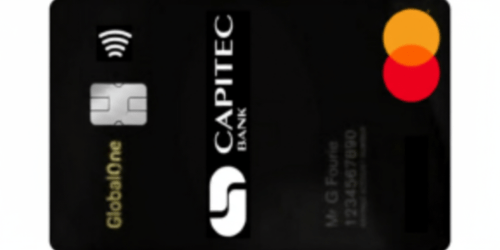
Requesting a limit increase is a quick process, and you can do everything from home.
But it’s important to understand that Capitec analyzes each case individually — there is no “guaranteed” increase.
See the step by step:
- Open the Capitec Bank app.
- Log in and go to the Cards section.
- Select “Update Limits.”
- Choose the type of limit you want to change — purchases, cash withdrawals, or online purchases.
- Enter the new desired amount and confirm with your PIN or biometrics.
- The bank will review your request and inform you whether it was approved.
In some cases, Capitec may request proof of income or limit the increase to a temporary one only.
If you prefer, you can also make the request in person at a branch.
Best Practices to Increase the Limit
The secret to getting more credit is showing the bank that you are a trustworthy client. Even if Capitec’s system performs automated analyses, it relies on data that reflects your financial behavior.
The main best practices are:
- Use the card frequently. Regular purchases help show that you rely on the product.
- Avoid late payments. Paying statements on time is the most important factor.
- Don’t always use 100% of your limit. Keeping usage between 30% and 60% indicates balance.
- Update your income in the app. If you started earning more, inform the bank — it increases your chances.
- Maintain a good overall history. Avoid late payments with other banks and utility bills.
These small habits build a good image and may result in automatic increases in the future.
How Long Does It Take to Increase the Limit?
Timing depends on the type of change you request and your risk profile. Temporary increases are mostly system-driven; permanent increases require a credit review and, sometimes, documents. Here’s what to expect and how to speed things up.
Typical timelines
- Temporary adjustment (via app): usually immediate after confirmation.
- Standard permanent increase: about 24–72 business hours for review.
- Document-based review (income/statement upload): up to 7 business days.
- Auto-increase: happens automatically after several months of consistent, on-time usage.
What speeds up approval
- Clean payment history: no recent late or missed payments.
- Moderate utilization: typically 30%–60% of your current limit.
- Updated income: recent proof of higher earnings on file.
- Stable account activity: regular transactions and deposits.
What can delay it
- New account: less than 3–6 months of history.
- High utilization or recent delinquencies.
- Mismatched or outdated documents (address, income, ID).
- Multiple recent credit applications with other lenders.
If you need it fast
- Request a temporary limit increase in the app for time-sensitive purchases.
- Upload documents immediately if prompted (latest payslip and bank statements).
- Reduce outstanding balance to lower your utilization before applying.
How to track status
- Check the app notifications and the request status under Cards → Update Limits.
- If it exceeds the expected window, contact support (phone/WhatsApp) with your request reference.
Reminder: Newer accounts or unstable payment histories may face longer reviews or denials. If denied, improve the factors above and reapply after 3 months.
What Is the Maximum Capitec Bank Card Limit?
The maximum limit you can get with Capitec Bank isn’t fixed — it’s tailored to your financial profile. The bank considers factors like your income, spending habits, and overall credit health before setting your ceiling.
Clients with higher, more stable income and clean credit history tend to qualify for larger limits, while new or lower-risk profiles start smaller and grow over time. Below are the general benchmarks used by Capitec to define these ranges.
- Daily purchase limit: up to R 1,000,000 (for premium clients in some cases).
- ATM cash withdrawal limit: up to R 30,000 per day.
- Lower limits for new clients, which can increase over time.
It’s important to remember that not everyone reaches the maximum limit. The exact amount is defined according to your credit analysis and may grow as your history improves.
Can I Request a Limit Increase at Any Time?
Yes. Capitec allows you to request a limit increase at any time, directly through the app.
However, being able to request doesn’t guarantee approval — the bank always conducts a new analysis before granting the extra amount.
It’s easier to get an increase when:
- You have more than six months of active card use.
- You’ve never paid late.
- Your credit score is high.
- You move money frequently in your Capitec account.
The ideal approach is not to insist with repeated requests in a short period, as this can harm your credit score.
Is the Limit Increase Automatic?
Capitec may occasionally offer automatic limit increases — but only when your financial behavior meets certain standards. The system monitors how you use and manage your credit over time, and if you consistently show responsibility, it may raise your limit without you having to request it.
When automatic increases are likely
- Consistent on-time payments: paying your full or minimum balance before the due date shows financial discipline.
- Regular usage: frequent card transactions (without maxing out your limit) signal healthy activity.
- Steady income: keeping a stable or growing income on record increases the bank’s confidence in your repayment ability.
- Low credit risk: maintaining a good credit score and low debt across other accounts makes you a strong candidate.
When it might not happen
- If you are a new client with limited history (less than 6 months).
- If you’ve had recent late payments or a high credit utilization rate.
- If your income or contact information in the app is outdated.
If you haven’t received an automatic increase yet, don’t worry — it doesn’t mean something is wrong. Capitec’s system updates periodically, and your profile may simply need more time to qualify. In the meantime, you can apply manually through the app to request a review of your limit whenever you’re ready.
My Request Was Denied. Now What?
Receiving a denial is not the end of the world — it’s a sign that the bank is not yet fully confident in granting more credit.
The best approach is to understand why the request was denied and take action to improve your profile.
The main reasons are:
- Insufficient income for the requested amount.
- Low credit score.
- Recent late payment history.
- Active debts with other banks.
- Account tenure still very short.
What to do:
- Keep paying everything on time.
- Use the card in moderation.
- Update your income in the app.
- Wait at least 3 months before trying again.
- Check your credit score on platforms like TransUnion or Experian.
With discipline, you may get approval on your next request.
Does Having a Negative Record Prevent the Increase?
Yes — having a negative record or being listed with credit bureaus like TransUnion or Experian can strongly reduce your chances of getting a higher limit. When your name appears on these databases, it signals to the bank that you have outstanding debts or missed payments, which increases the perceived risk of default. A
s a result, Capitec’s credit system automatically restricts access to new credit or limit upgrades until your situation improves.
The good news is that this restriction isn’t permanent. Once you pay off or settle your debts and your record is updated, the bank’s system will recognize your improved financial standing, making it easier to qualify for a future limit increase.
To solve it:
- Negotiate and settle your debts.
- Ask for a “settlement confirmation” when you pay.
- Update your records with Capitec.
- Wait a few weeks for the system to recognize the change.
After clearing your name, the bank tends to reevaluate your profile and your chances of approval increase.
How Many Times Can I Request an Increase?
Capitec does not impose a fixed number, but it is recommended that you wait 3 to 6 months between each request.
Requesting too frequently can look like desperation for credit, which harms your financial image.
Tip: whenever you get a salary increase, update your data before requesting an increase. This shows your repayment capacity has improved.
How to Apply for the Card?
If you’re not yet a Capitec cardholder, getting one is fast, simple, and completely digital. You can apply using just your smartphone — no need to visit a branch. The entire process is designed to be quick and accessible, even if it’s your first time applying for a credit product.
Step-by-step application process
- Download the Capitec Bank app — available for both Android and iOS devices.
- Tap “Open Account” and follow the on-screen instructions to start your application.
- Provide your personal details including ID number, contact information, and employment status.
- Upload the required documents such as your ID, proof of address (e.g., utility bill), and proof of income (like a recent payslip or bank statement).
- Wait for the review — Capitec will analyze your financial information and credit profile to determine your eligibility and initial limit.
- Receive your approval — once approved, your virtual card is issued immediately inside the app, ready for online use.
- Get your physical card — it’s delivered to your registered address within a few business days.
The application is completely free, and in most cases, clients can start using their virtual card instantly after approval for online purchases or payments. It’s one of the easiest ways to get a fully functional banking card without long waiting periods or complicated paperwork.
How to Contact the Card Operator?
If you have questions, you can contact Capitec through the following channels:
- Phone (24/7): 0860 10 20 43
- WhatsApp: 067 418 9565
- Credit and loans: 0860 66 77 89
- Official website: www.capitecbank.co.za
- Branches: find the nearest one on the bank’s website.
Support is fast and efficient, especially via WhatsApp and the app, where you can resolve most requests without leaving home.
Increasing your Capitec Bank card limit is possible, but it depends on financial responsibility and patience.
The more you show that you’re a trustworthy client — paying on time, keeping a good score, and using the card frequently — the more likely you are to get automatic or quickly approved increases.
A higher limit is not just convenience: it’s also a sign that your financial credibility is growing.